

These tutorials are easy to follow and you can pause at any time, rewind and watch again the tutorial. I was really surprised by their quality and I can't wait to get more. This is the best way to reduce the software learning curve.
More videos are uploaded each month on Funtime Scrapbooking.com:
Text tutorial #1
Description : Learn how to write text, merge
Text tutorial #2
Description : Learn how to use text deformation, perspective & 3D rotation
Text tutorial #3
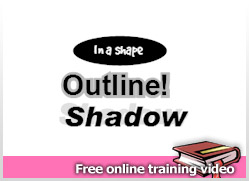
Description : Learn how to write text into a shape, add outline &shadow
Shape tutorial #1
Description : Learn how to add, rotate & resize shape
Shape tutorial #2
Description : Learn how to draw, adjust shape, create hole
Shape tutorial #3
Description : Learn how to create your own label (merge shapes, text inside shape)
Auto Path Tutorial #1
Description : Learn how to use the auto path feature.
View more videos on Funtime Scrapbooking video training.
Wednesday, November 28, 2007
Funtime Training video




Tuesday, November 27, 2007
Get 4 logos samples from Funtime Scrapbooking Christmas shapes collection

This collection include 53 Christmas logos (exclusive to funtimescrapbooking.com).
These Christmas shapes are a must have. They will made outstanding decorations for your Christmas reception. To get mor informations on this product you can go to Funtime Scrapbooking ebay store .
Get some inspiration and let's your imagination do the rest.
Monday, November 26, 2007
How to get clipart logos from window fonts
 This tutorial will show you "How to get clipart logos from window fonts.pdf".
In windows they have four special fonts which contain logos in it. These fonts are "Webdings, Windings, Windings2, Winding3". Note that they are other fonts available on the Internet which contain logos. These type of fonts are usually call dingbats. But before using any logos from these form ask the author authorization first.
To get all the fonts from the "Webdings, Windings, Windings2, Winding3" windows fonts you will need to download the Ascii_Table.wpc files.
" You are now able to add great addition
to your logo library. "